 Their First Conversations
Help
Support
Need a hand with Their First Conversations? We’re glad to help. It is a completely free app with no account, so there is no purchase to restore, account to recover, or saved progress to reset.
Contact us
Email support@theirfirstwords.org. Telling us your device type and what happened helps us help you faster. Please do not include a child’s personal information.
Common questions
How does a scene work?
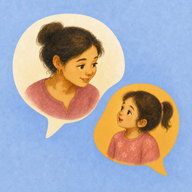
Tap a scene to play it. The app says the first line, then waits a few seconds while a marigold bubble glows. That’s your child’s turn. Then it says their line, so they hear it even if they just listen. Tap the scene again to hear it once more. Saying the line together the first few times helps.
My child needs more time to answer.
Tap the glowing bubble during your child’s turn for more time.
How do we skip or stop a scene?
During a scene, press and hold the Previous or Next arrow to skip. To end a scene early, tap Stop at the top, or hold the big button.
How do I change the language or Little and Big Kid?
Tap the chip at the top of the home screen. There you can choose English, Spanish or Korean, and switch between Little (ages 1 to 3, one line each) and Big Kid (ages 3 to 6, longer, with two turns to talk).
Can the app look darker at bedtime?
Yes. The same chip at the top of the home screen has a Bedtime look setting. Auto softens the colors from 7 pm to 6 am. Night is darker, for a dark room. A Day or Night choice lasts until the app closes.
How do I open the grown-ups area?
Press and hold Grown-ups at the bottom of the home screen for about two seconds. It has tips, our other apps for families, and links to this website, support, and privacy.
Why can’t I hear anything?
Check the device’s media volume and make sure audio is not going to headphones or another connected device. The voice is the only sound in the app; there is no music or sound effects.
Does it work offline?
Yes. Every scene, picture, and recording is included in the app, so conversations play without an internet connection. Opening website, support, privacy, or app-store links needs a connection.
Does the app save anything about my child?
No. The app remembers only the language and Little or Big Kid, on your device. Nothing about your child is saved, and the app never asks for, says, or stores a child’s name.
Privacy
The app has no ads, analytics, accounts, cloud saving, or child-data collection. Read the Privacy Policy for details.