Their First TypingStart typing

Everyone deserves to learn to type.

Their First Typing is a free typing course for beginners learning useful words and phrases across nine languages. We wanted to make it a beautiful and enjoyable experience.

It is made by Their First Words, which is owned by two parents who make apps for their daughters. As our daughters get older, our goal is to be an active part of their learning and education by developing apps, always thinking of our children as our first users.

We currently have 5 free apps and one paid app published on the App Store and Google Play. Please check them out at http://theirfirstwords.org.

Have feedback? We’d love to hear from you at support@theirfirstwords.org.

A little help getting started

Your first keys.

Open a guide when you need it. Then go straight to your course and try a key.

How to start typing with a complete beginner

Use a computer with a physical keyboard and enough room to see the target and keyboard guide together. Start with a short visit; there is no timer to beat.

  1. Open English and choose the first lesson. Begin with the letter shown, rather than trying to explain the whole keyboard.
  2. Find the matching key. Use the on-screen guide and the hands and highlights setting for help. A grown-up can point once, then let the learner try.
  3. Press and release. Correct input moves the activity forward. If another key is pressed, look at the guide and try again; there is no need to restart.
  4. Let familiar keys become a word. The English opening sequence introduces A and D before practicing “dad.” Follow the course order instead of jumping to a long message.
  5. Finish when you want. Repeating a short lesson is fine. Comfortable, deliberate presses matter more than speed.

When browser storage is available, guest progress stays on that device. Optional email sign-in lets you continue across devices. Clearing browser data or using private browsing can remove local progress.

Try the English course →
How to begin Korean typing on an English keyboard

You can start the guided Korean course without installing a Korean keyboard. It teaches physical key positions using the two-set Korean layout, with English instructions and a visible guide.

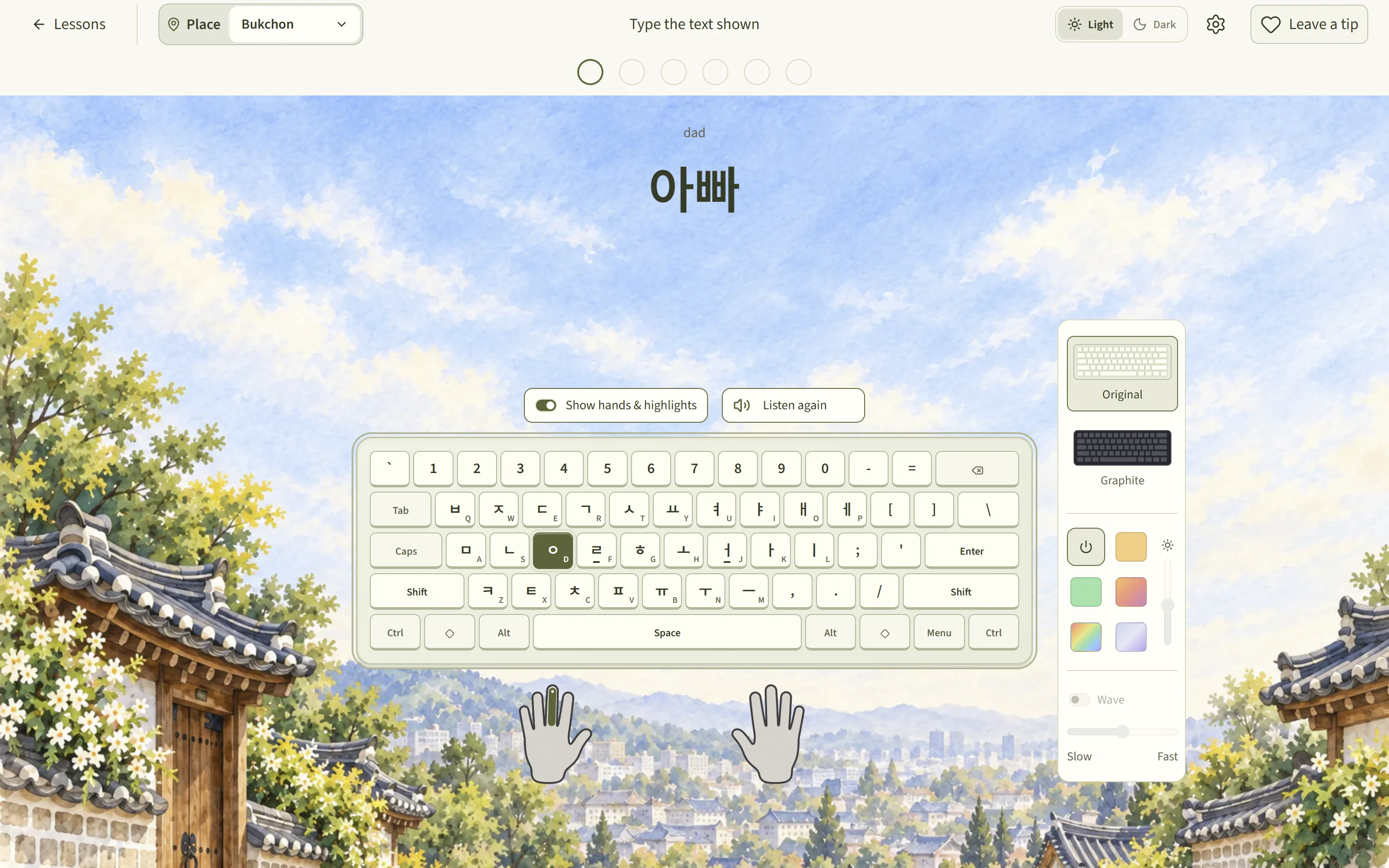
On that layout, the R position produces and K produces . Together they form . Korean letters combine into syllable blocks as you type; the displayed block can change as another letter is added.

  1. Follow the course’s first-key lessons and match the highlighted physical key. Keep your English keyboard active for guided physical-key practice.
  2. Watch the target and the developing Hangul block. A block can contain several keystrokes, so it is normal for one displayed syllable to take more than one press.
  3. When moving to native-input practice or typing Korean in another app, add a Korean input method in your device’s keyboard settings and choose the two-set layout.

The course’s guide does not change the keyboard system-wide. In another application, use the Korean input method and its language toggle. On keyboards other than English QWERTY, keycap labels can differ from the course’s reference positions.

Try the Korean course →
How to begin Russian typing on an English keyboard

The guided Russian course shows where Cyrillic letters sit on a standard Russian keyboard, using English QWERTY key positions as the physical reference. You can start these guided lessons with your English keyboard active.

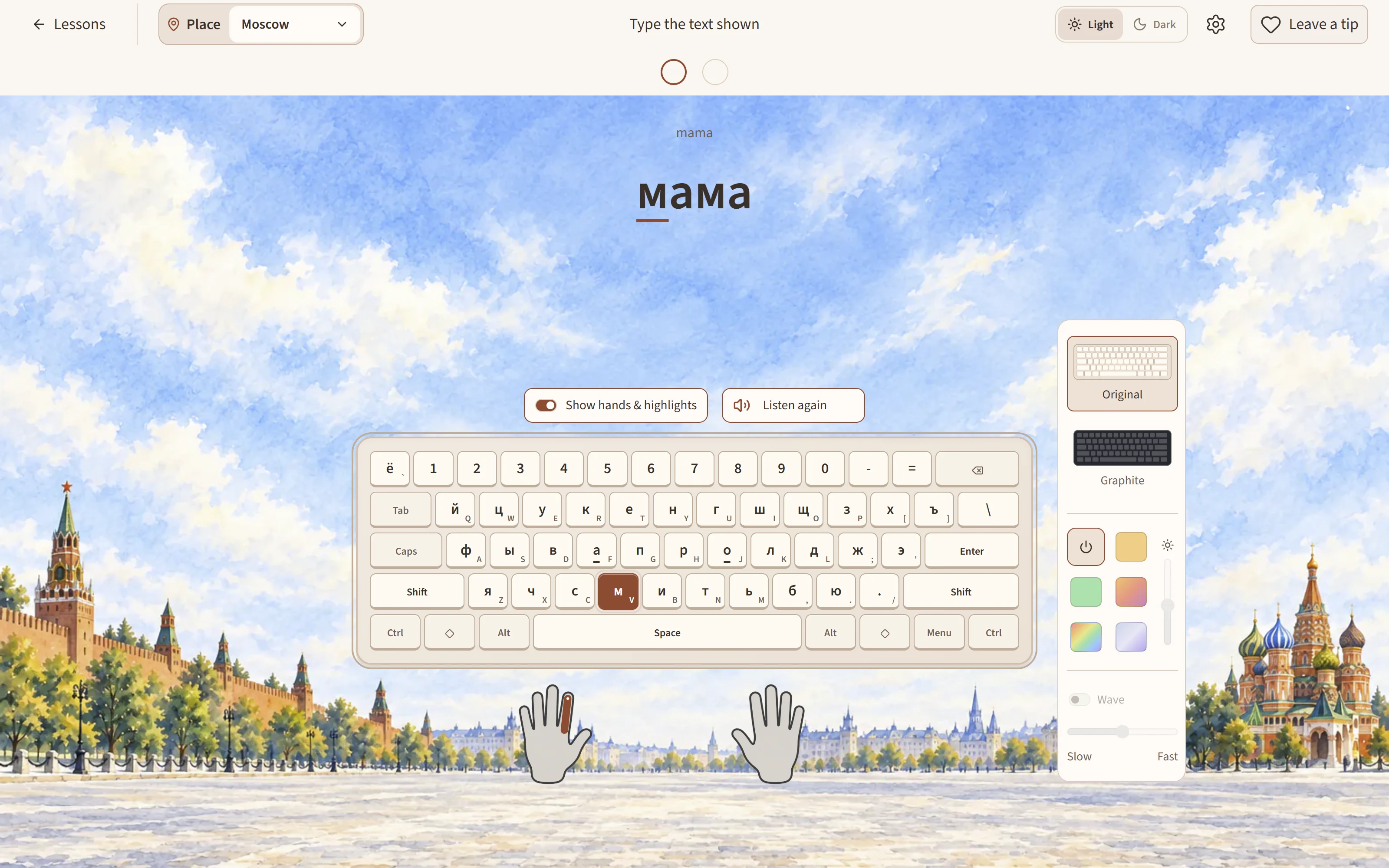
For example, the English F position corresponds to а, and V corresponds to м. The labels look different, but the physical position is what you are learning.

  1. Start with the course’s individual keys. Look at the displayed Cyrillic target and the matching position on the guide.
  2. Practice short words after their keys are introduced. Avoid substituting a similar-looking Latin letter: Latin “a” and Cyrillic “а” are different characters.
  3. For native-input practice or another app, add the standard Russian ЙЦУКЕН layout in your device settings. A phonetic Russian layout has different positions.

Use your device’s keyboard viewer if you cannot find a letter. Ё is a separate letter, and ь is the soft sign; copy the supplied spelling rather than omitting them.

Try the Russian course →
A short first-key activity for families, teachers, and libraries

Try a ten-minute session, with permission to stop sooner. Open the first lesson, help the learner find one key, let them try again after a mistake, and invite them to continue to the next short exercise.

Notice three things: can they find the key, do they understand what to do after a wrong press, and do they choose to continue? Adjust the help you give to the learner in front of you. These observations are more useful than imposing a speed target.

No account is required to begin. On shared computers, explain that local guest progress belongs to that browser; use the app’s reset controls when a fresh learner needs a clean start. This is a supplemental practice resource, without teacher dashboards or class assignments.

For a heritage-language group, choose the family’s language and keep English instructions if helpful. The course teaches typing; it is not a substitute for a full language or literacy curriculum.

Share feedback with Raphael →

For people sharing the course

Press & educator resources.

Their First Typing is a free, ad-free browser typing course made by two parents for their daughters. It starts with individual keys and grows into useful words, messages, and connected text, with English guidance across nine language courses.

9
language courses
2,300+
guided lessons
700+
practice sets

English, Spanish, French, Portuguese, Korean, Russian, German, Italian, and Tagalog. More than 1,250 recorded audio clips support selected exercises; every activity can also be completed silently.

Free to use, with no account required to start. Designed primarily for a computer and physical keyboard. No speed gates, streak requirements, or forced breaks.
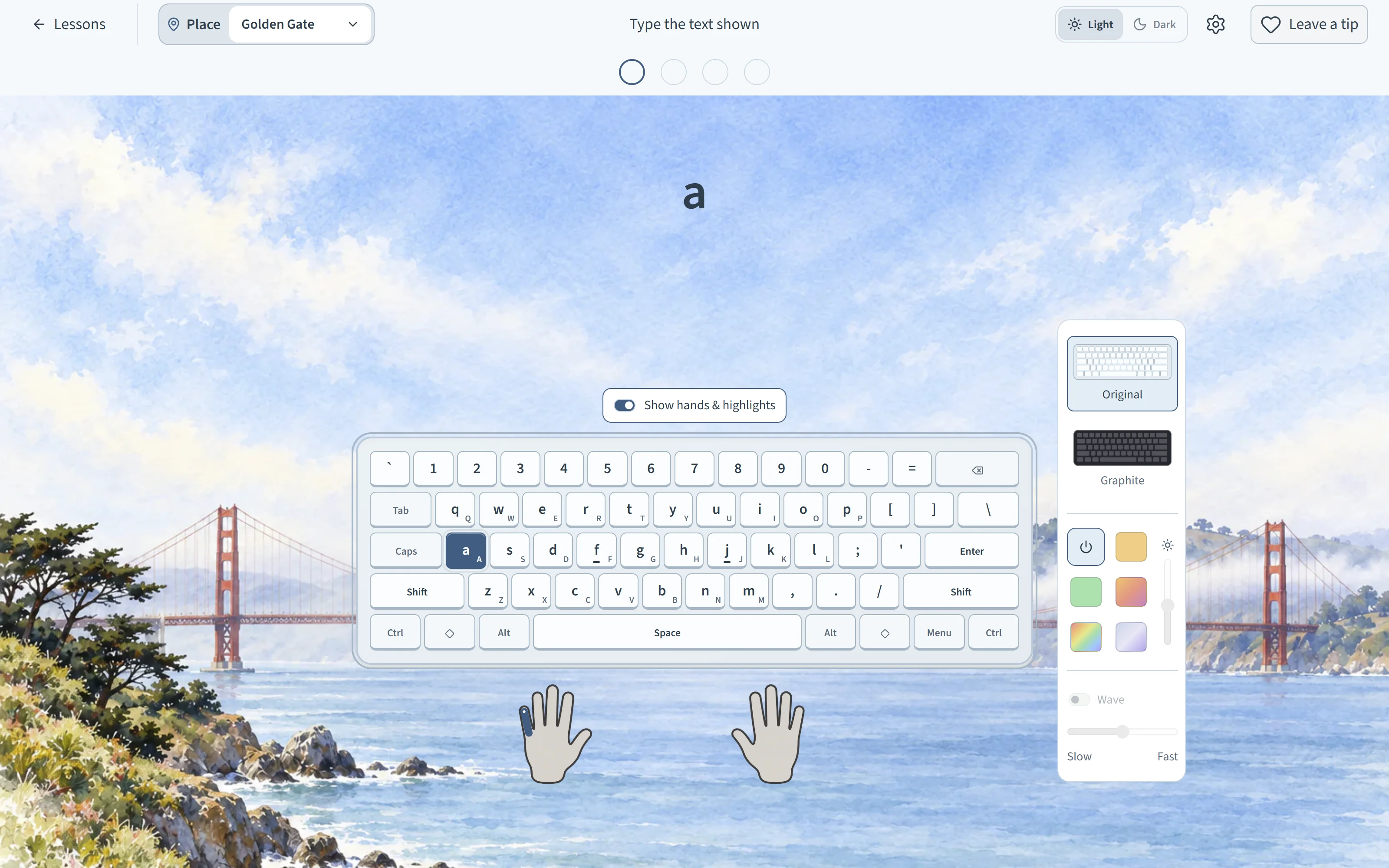
A first English key at Golden Gate
A first English key at Golden Gate. Download screenshot
Korean words with a Hangul keyboard guide
Korean words with a Hangul keyboard guide. Download screenshot
Russian words with a Cyrillic keyboard guide
Russian words with a Cyrillic keyboard guide. Download screenshot
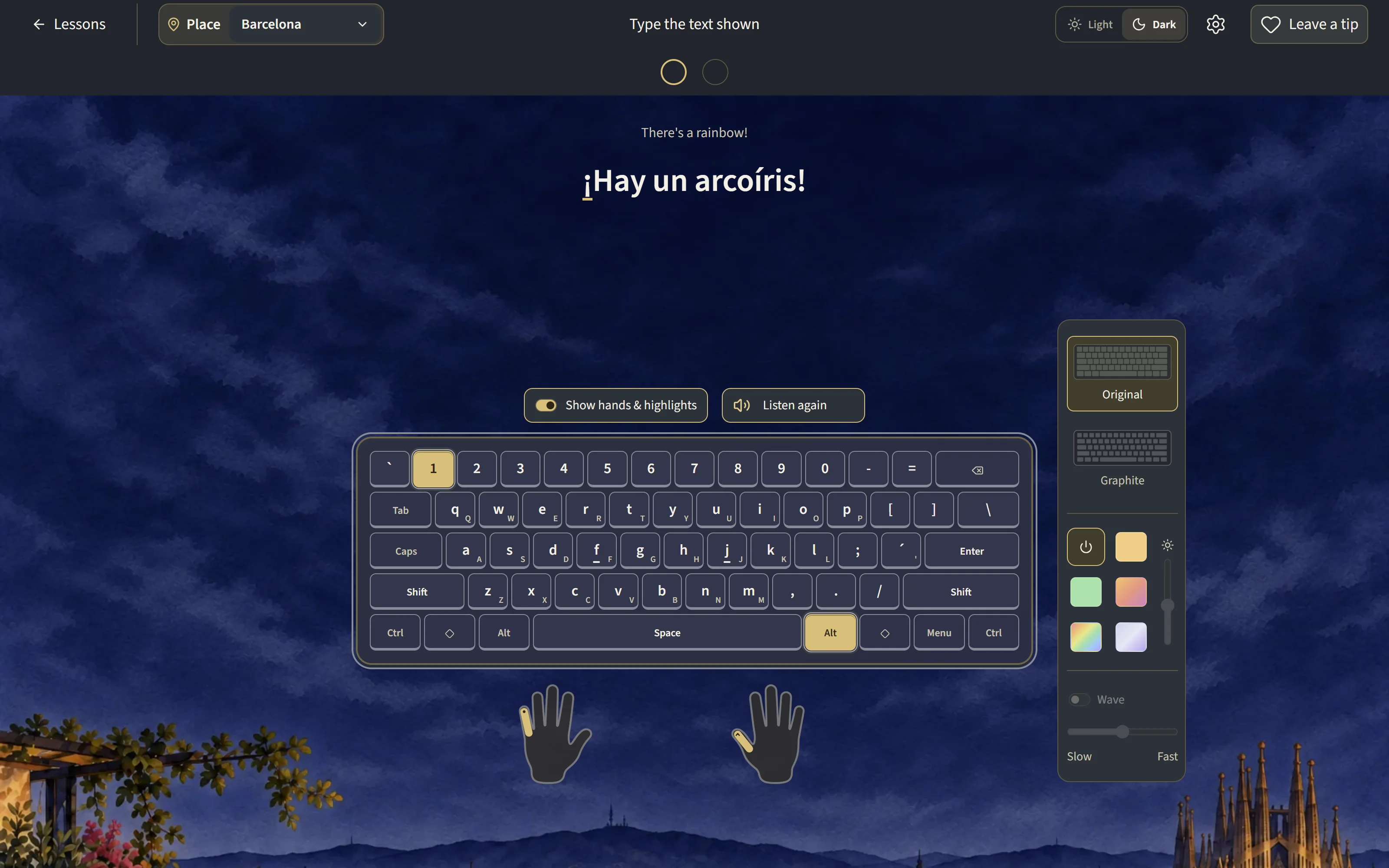
Spanish practice in the evening theme
Spanish practice in the evening theme. Download screenshot

You may use these screenshots and the logo when covering or recommending Their First Typing. Please credit Their First Words LLC and link to the course.

For a review, resource listing, or educator evaluation, contact admin@theirfirstwords.org. Honest feedback is welcome.

Simple Words, Special Moments

Supported by Their First Words

Watching our children learn and say their first words has been one of the most rewarding experiences of our lives. We wanted to make a calm, beautiful app where they could explore the languages around them and grow from first words into everyday phrases.

75 words and 35 phrases are free, forever — all 8 languages and both voices included. One $9.99 purchase opens the rest: 1,000+ words, 500+ phrases. No subscription, nothing renews.
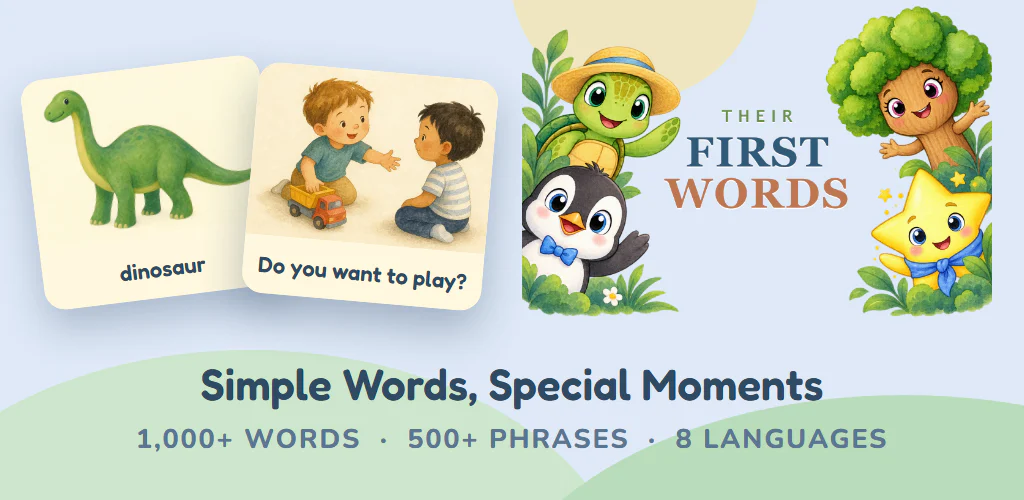
Their First Words vocabulary and phrase cards with the app’s turtle, penguin, tree, and star characters

More from Their First

The same two parents make every app in the family — all of them calm, ad-free, and built for the moments with your children.