 Their First Tidy
A guide for grown-ups
A first tidy-up together
Start with one room and one question: where does this belong? Here is what the Library scene actually looks like, followed by an easy way to carry the idea away from the screen.
The Library, before and after
The two images below are from the same scene in Their First Tidy. At the start, several books and small objects are out of place. At the end, the room is still the same room: the books have homes on the shelves, and the rolling cart has moved to its place. The child makes those changes through the scene's touch interactions.
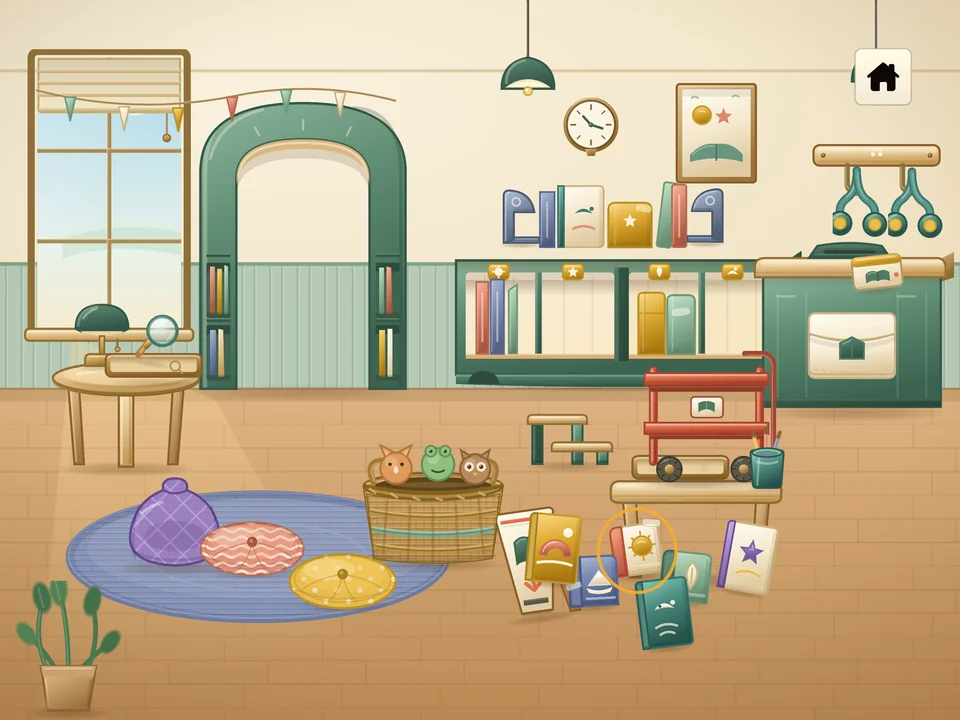
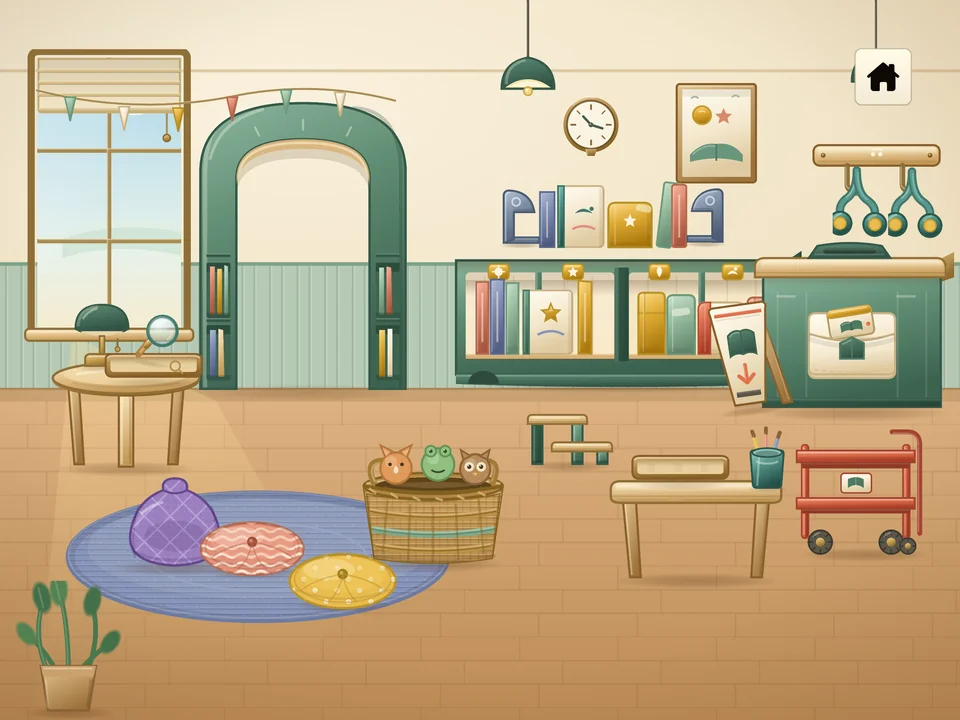
These are scenes from the app, not a photograph of a home. Each of the ten worlds contains four different tidy-ups.
Try one scene in the app
Choose a card together
Turn the device sideways and browse the scene rail. Pick any card that catches your child's eye. All forty scenes are open from the start, so there is no required order.
Notice before moving
Pause for a moment at the messy starting scene. Point to one object and one possible home. Let your child explore the touch action; you can simply name what changed without directing every move.
Look at the finished room
When the scene is complete, it stays whole on screen for a brief beat. The app then returns to that scene's card, marked Tidied. Opening it again starts a fresh mess; there is no need to reset progress to replay.
Things you could say
There is no narration or spoken instruction in the app. If you want to join in, these short observations leave room for your child to answer, point, or keep playing.
“I see a book on the floor. Where could it go?”
“You moved the cart. What changed?”
“There it is on the shelf. Shall we look for another?”
Try a tiny tidy-up away from the screen
Choose two or three safe, familiar objects and one obvious home, such as books and a low shelf or soft toys and a basket. Put the objects nearby, show the destination once, then invite your child to move them. Let them decide when the game is done; the point is a shared, manageable moment, not a perfectly tidy room.
Keep small, sharp, heavy, or breakable items out of this activity. You can use the same simple question as in the app: “Where does this belong?”
More about the app
The parent FAQ explains the forty scenes, offline play, saved progress, sound, and the Grown-Up Menu. The app overview shows all ten worlds.